


Host App
Dual-Channel CAN / CAN-FD
Configure channels, send frames, monitor receive traffic, and check error states in one workflow.
CAN Diagnostics

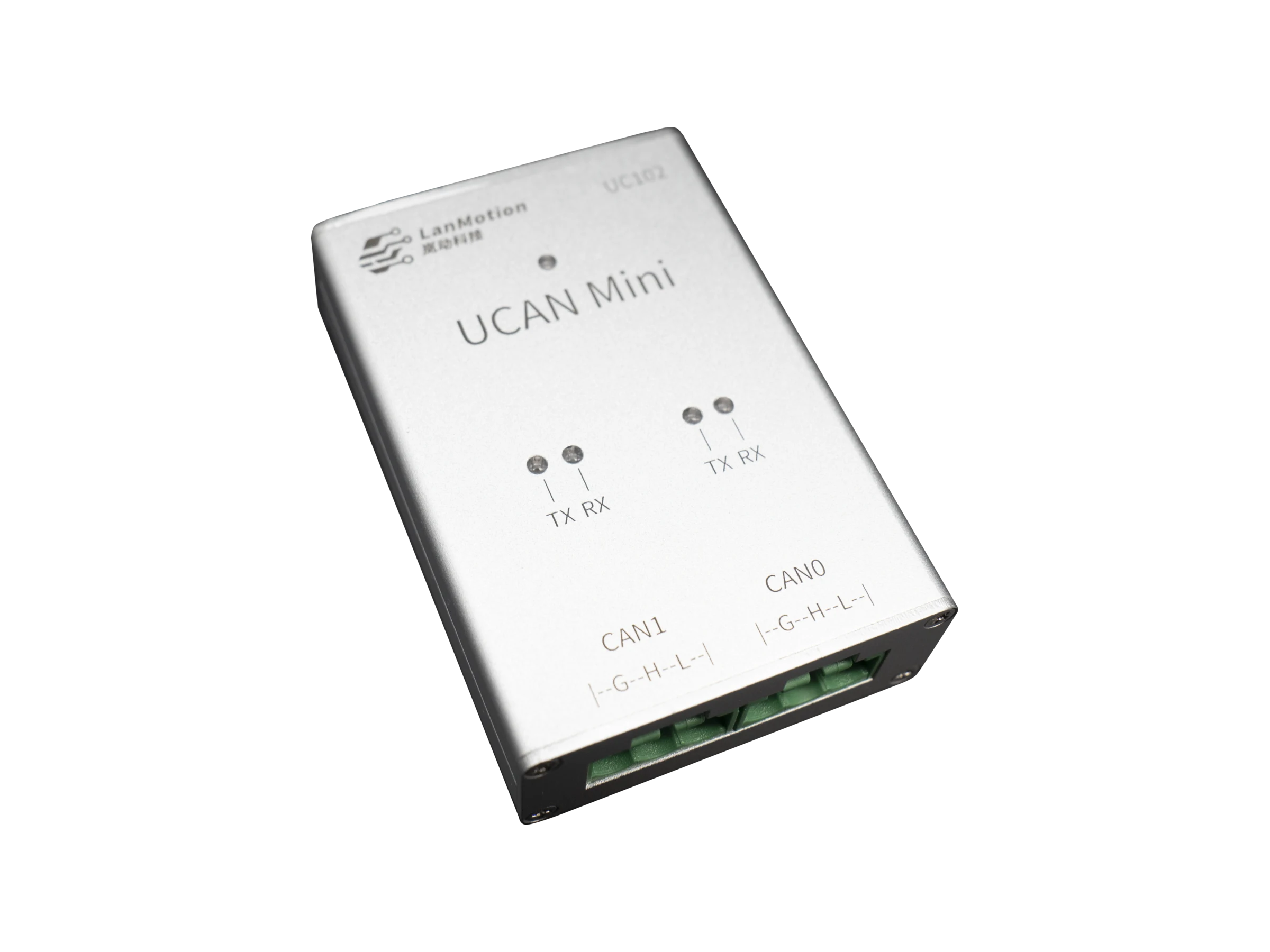
Dual-channel CAN / CAN-FD debugging and data capture with onboard termination control and USB OTA for R&D bring-up, automated testing, and field maintenance.
UCAN-Mini provides dual-channel CAN / CAN-FD access for R&D bring-up, production test, data capture, and field maintenance.
UCAN-Mini
Software Value
Host App
Configure channels, send frames, monitor receive traffic, and check error states in one workflow.
Automation
Script common TX/RX, upgrade, and production-test actions for batch validation and regression work.
Driver
Integrate with system test environments through driver access, SocketCAN flows, and capture automation.
Highlights
2-channel CAN / CAN-FD TX/RX and link validation
Host-side debugging, automation scripts, and system integration
Button-controlled 120Ω termination and USB OTA upgrade
Interfaces & Status
Dual CAN Workflow
Two bus channels flow through UCAN-Mini into the host app, scripts, and driver integration.
CAN Bus
Software Stack
Delivery
Connect UCAN-Mini to the host over USB and confirm that the device enumerates normally.
Open both CAN channels in the host tool and configure CAN / CAN-FD parameters.
Short press toggles 120R termination for both channels.
Typical Scenarios
Open two CAN channels at once to validate controllers, nodes, or gateways.
Combine host software, scripts, and driver support for R&D bring-up, production test, and data capture.
Use the USB channel for OTA upgrades during production maintenance and field updates.
Product manuals, protocol references, and other PDF-format technical resources.
PDF / EN
English offline manual for interfaces, protocol, and integration workflow.
Released: 2026-05-18
b6a170c6231fbdfdf5c4fa216f7ff62468734d96956448f489c37be501c6e197
English product overview for quick positioning and release material review.
Released: 2026-05-18
50d7ced737085be4da3689d0ba3e937b338ab20dbf42ad3f786f0f10ab06a55a
Offline host software manual for connection, trace, transmit, analysis, scripting, and maintenance.
Released: 2026-05-14
84af2fa0b11af9eb69cc1e72c0806eafe6634b1f2054504cae7dd0c8fedada71
FAQ
After a protocol mode switch, the device restarts and re-enumerates. The host needs to detect it again and reconnect.
Yes. The system LED and each channel's TX / RX LEDs indicate startup state, current mode, transmit/receive activity, and bus error states.